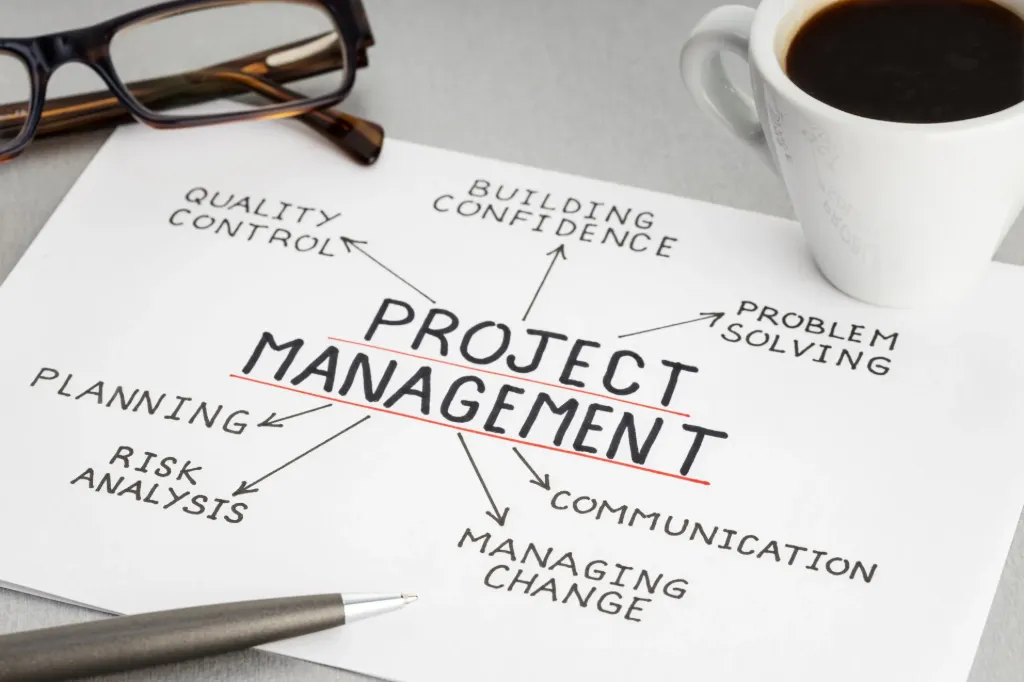
Project Management Tools and Techniques
The Project Management Tools and Techniques course provides a clear, practical introduction to the art of project management. You will learn essential terminology, core concepts, and a structured approach based on PMI standards, enabling you to confidently understand and manage projects in today’s fast-paced environment.
Through a logical, step-by-step framework, the course guides you across the full project life cycle—from project selection and definition to planning, execution, monitoring, and close-out. It combines proven tools and techniques with real-world application, covering both traditional (waterfall) and adaptive (agile and lean) approaches to help you manage projects effectively in different contexts.
By the end of the course, you will be able to apply key project management tools directly in your daily work, improve project outcomes, and strengthen your professional profile. The course also supports certification preparation, covering a substantial portion of PMBOK® tools and techniques and offering recognized training hours for PMI credentials.
Teacher: Ir. Luc F. De Ceuster, PMP
Provider: De Ceuster Academy @ APraCom, s.r.o.
| Responsible | Luc De Ceuster |
|---|---|
| Last Update | 06/24/2026 |
| Completion Time | 10 hours 1 minute |
| Members | 3 |
-
Section 1 - Course Introduction (empty)5Lessons · 25 min
-
Free Preview
-
Free Preview
-
1.2 Content of the Course
-
Free Preview
-
Free Preview
-
-
Section 2 - Introduction to Project Management. Terminology and Definitions (empty)17Lessons · 1 hr 41 min
-
Free Preview
-
2.2 Learning Outcomes of Section 2
-
2.3 Example of Projects
-
2.4 Defining a Project
-
2.5 Projects, Processes, and Programs
-
2.6 Managing Projects
-
2.7 Functions of the Project Manager
-
2.8 The Project Management Process
-
2.9 Project Management Definition
-
2.10 Skillset of the Project Manager
-
2.11 Benefits of Project Management
-
2.12 The Scope Triangle
-
2.13 Creep, Gold Plating, and the Pain Curve
-
2.14 Organizational Structures
-
2.15 Power of the Project Manager
-
2.16 Review of Section 2
-
Quiz Section 2
-
-
Section 3 - Project Management Process and Life Cycle (empty)12Lessons · 30 min
-
3.1 Introduction to Section 3
-
3.2 Learning Outcomes of Section 3
-
3.3 Where do Projects come From
-
3.4 Evaluation of Different Solutions, Project Selection
-
3.5 The Project Management Process
-
3.6 Progressive Elaboration and the Rolling Wave Approach
-
3.7 Application of Lean Principles in Project Management
-
3.8 Other Project Environments
-
3.9 The Project in 10 Steps
-
3.10 The Project Management Knowledge Areas
-
3.11 Review Section 3
-
3.12 Quiz Section3
-
-
Section 4 - Project Definition and Initiation (empty)14Lessons · 30 min
-
4.1 Introduction to Section 4
-
4.3 Identification and Influence of Stakeholders
-
4.4 Parameters for Project Identification
-
4.2 Learning Outcomes Section 4
-
4.5 Using Words in the Charter
-
4.6 Defining Project Success
-
4.7 The Project Definition Process
-
4.8 Project Definition Process - Step 1
-
4.9 The Project Definition Process - Step 2
-
4.10 Content of the Charter
-
4.11 Content of the De Ceuster Academy Charter
-
4.12 The Toyota Case and the Development of the Lexus
-
4.13 Review of Section 4
-
4.14 Quiz Section 4
-
-
Section 5 - Requirements and Scope (empty)12Lessons · 30 min
-
5.1 Content of Section 5
-
5.2 Learning Outcomes of Section 5
-
5.3 Requirements
-
5.4 The Project Scope
-
5.5 Decomposition of a Project
-
5.6 Building the Work Breakdown Structure
-
5.7 Completing the WBS and WBS Dictionary
-
5.8 Examples of Work Breakdown Structures
-
5.9 Decomposing Work Packages into Activities
-
5.10 Uses of the Work Breakdown Structure
-
5.11 Review of Section 5
-
5.12 Quiz Section 5
-
-
Section 6 - Roles, Responsibilities, and Estimates (empty)10Lessons · 30 min
-
6.1 Content of Section 6
-
6.2 Learning Outcomes of Section 6
-
6.3 Identifying Resources toComplet the Activities
-
6.4 Assigning Resources to Activities
-
6.5 Estimating Duration of Activities
-
6.6 Types of Activities
-
6.7 Calculating Activity Duration using Three Point and PERT Estimates
-
6.8 Effect of Stakeholders on Activity Duration
-
6.9 Review Section 6
-
6.10 Quiz Section 6
-
-
Section 7 - Define Dependencies and Critical Path (empty)16Lessons · 30 min
-
7.1 Content of Section 7
-
7.2 Learning Outcomes of Section 7
-
7.3 Chronological Order of Activities
-
7.4 Diagramming Methods
-
7.5 Precedences, Leads, and Lags
-
7.6 Developing the Precedence Diagram using PDM
-
7.7 Precedence Diagraming Example
-
7.8 Identifying Different Paths Through the Network
-
7.9 The Critical Path Method - Precedence Diagram
-
7.10 The Critical Path Method - Forward Pass
-
7.11 Critical Path Method - Backward Pass
-
7.12 Calculate Slack or Float. Identify Critical Path
-
7.13 Define the Critical Path, Alternative Calculation
-
7.14 Project Duration Reduction
-
7.15 Overview of Section 7
-
7.16 Quiz section 7
-
-
Section 8 - Develop the Project Schedule (empty)11Lessons · 30 min
-
8.1 Content of Section 8
-
8.2 Learning Outcomes of Section 8
-
8.3 How to make a Gantt or Harmonogram
-
8.4 Exercise Gantt with the Activities in ES Position
-
8.5 Exercise Gantt with the Activities in LS Position
-
8.6 Introducing ProjectLibre
-
8.7 Making a Gantt with ProjectLibre
-
8.8 ProjectLibre - Live Demo
-
8.9 Different Uses of Gantt
-
8.10 Review of Section 8
-
8.11 Quiz Section 8
-
-
Section 9 - Resource Loading, Smoothing and Levelling (empty)10Lessons · 30 min
-
9.1 Content of Section 9
-
9.2. Learning Outcomes of Section 8
-
9.3 Adding Resources to the Project
-
9.4 Principles of Resources Loading and Verification Process
-
9.5 Three Step Evaluation of Resource Activity - Exercise
-
9.6 Finding a Solution for Resource Problems
-
9.7 Adding Resources to ProjectLibre
-
9.8 ProjecLibre - Live Demo
-
9.9 Recapitulation of Section 9
-
9.10 Quiz Section 9
-
-
Section 10 - Generate the Project Budget (empty)15Lessons · 30 min
-
10.1 Content of Section 10
-
10.2 Learning Outcomes of Section 10
-
10.3 Importance of Cost Management and Budgeting
-
10.9 Cumulative Budget
-
10.4 Defining the Different Costs
-
10.5 Estimating Costs
-
10.6 Tangible and Intangible Costs
-
10.7 Different Types of Budget Loading
-
10.8 Time Phased Budget
-
10.10 Budget ES, LS, PS, and Critical Path Position
-
10.11 Earned Value Parameters
-
10.13 Exercise - Critical Path Position
-
10.14 Review of Section 10
-
10.12 Project and Company Budget
-
10.13 Quiz Section 10
-
-
Section 11 - Uncertainty in Projects and Risk Management (empty)13Lessons · 1 hr 15 min
-
11.1 Content of Section 11
-
11.2 Learning Outcomes Section 11
-
11.3 Defining Risk in a Project Environment
-
11.4 The Risk Management Process
-
11.5 Risks and the Project
-
11.6 Risks Identification
-
11.7 Risk Identification Tools
-
11.8 Qualitative Risk Evaluation
-
11.9 Quantitative Risk Evaluation
-
11.10 PERT and Monte Carlo Evaluation
-
11.11 Risk Responses
-
11.12 Review of Section 11
-
11.13 Quiz Section 11
-
-
Section 12 - Project Execution (empty)12Lessons · 40 min
-
12.1 Content of Section 12
-
12.2 Learning Outcomes of Section 12
-
12.3 The Project plan is completed. What now?
-
12.4 Project Kick-Off Meeting
-
12.5 Data to use for Project Execution
-
12.6 Status overview related to Schedule
-
12.7 Status overview related to Cost
-
12.8 The Earned Value Approach
-
12.9 Change Management during Execution
-
12.10 How to react to Variances?
-
12.11 Review of Section 12
-
12.12 Quiz Section 12
-
-
Section 13 - Project Close Out (empty)10Lessons · 30 min
-
13.1 Content of Section 13
-
13.2 Learning Outcomes Section 13
-
13.3 Importance of Close-Out
-
13.4 Transferring the Project to Life Cycle Management
-
13.5 Closing Outstanding Contracts and Invoices
-
13.6 As-Built Plans
-
13.7 Closing Review
-
13.8 Closing and Knowledge Management
-
13.9 Review Section 13
-
13.10 Quiz Section 13
-
-
Section 14 - Course Review (empty)13Lessons ·
-
14.1 Content of Section 14
-
14.2 Quick Review Section 2 - Introduction to Project Management.
-
14.3 Quick Review Section 3 - Project Management Process & Life Cycle
-
14.4 Quick Review Section 4 - Project Definition and Initiation.
-
14.5 Quick Review Section 5 - Define Requirements, Scope, and WBS.
-
14.6 Quick Review Section 6 - Roles and Responsibilities. Estimates
-
14.7 Quick Review Section 7 - Define Dependencies and Critical Path
-
14.8 Quick Review Section 8 - Develop Project Schedule
-
14.9 Quick Review Section 9 - Resources Loading, Smoothing and Leveling
-
14.10 Quick Review Section 10 - Generate Project Budget
-
14.11 Quick Review Section 11 - Uncertainty in Projects. Risk Management.
-
14.12 Quick Review Section 12 - Project Execution, Monitor and Control
-
14.13 Quick Review Section 13 - Project Close-Out
-
-
Final Quiz and Course Certificate (empty)1Lessons · 1 hr 30 min
-
Final Quiz
-